How to export your Goodreads library (and import it into Gleamry)
Export your Goodreads library as a CSV in a few clicks, then import it into the Gleamry book tracker on iPhone. Shelves, ratings, reviews, and read dates come with you.
Leaving Goodreads does not mean starting your reading history from zero. Goodreads lets you export your whole library as a CSV file, and Gleamry can import it. It takes about five minutes.
Goodreads has no public API, so the export happens on the website. The import happens on your iPhone.
Before you start
- A Goodreads account you can sign in to.
- A computer or a mobile browser to reach goodreads.com. The export option is on the website, not in the Goodreads app.
- Gleamry installed on your iPhone.
Step 1: Export your library from Goodreads
- Sign in to goodreads.com in a web browser.
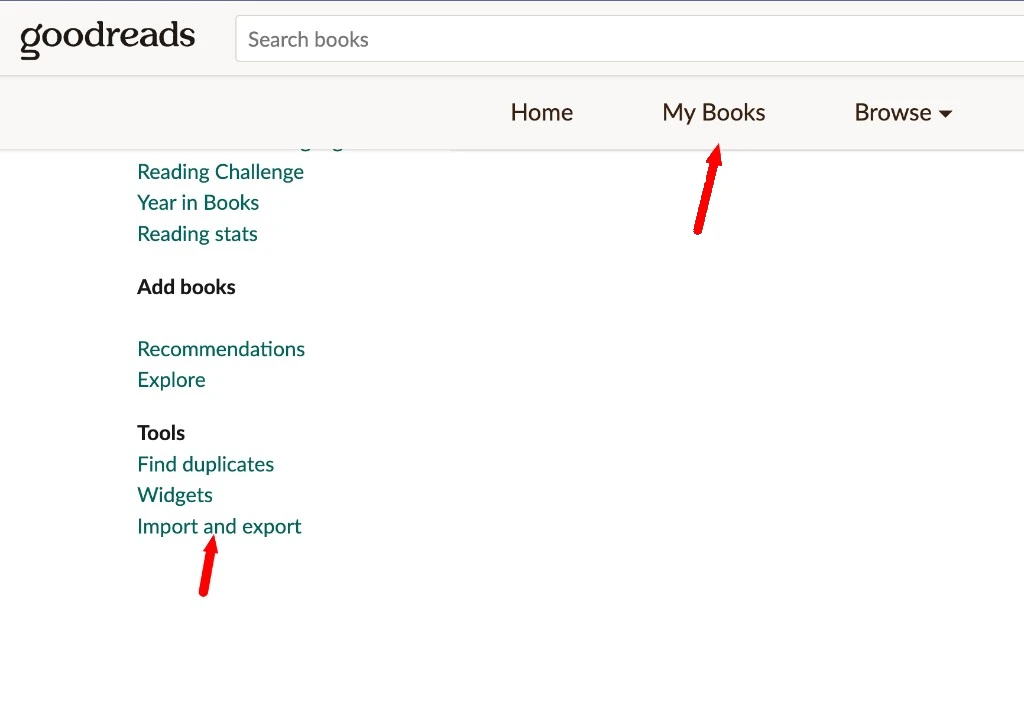
- Open My Books.
- In the Tools section on the left, choose Import and export.
- On the Import/Export page, click Export Library.
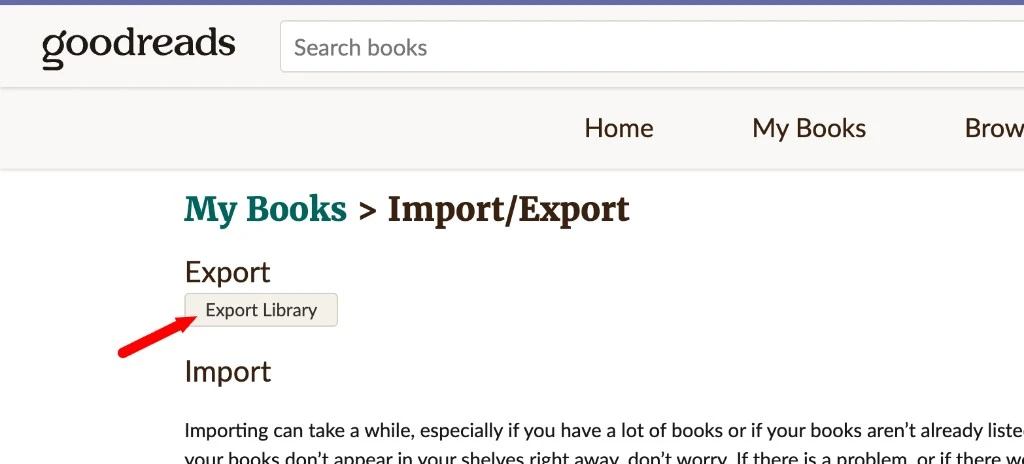
Goodreads prepares the file in the background. For a large library it can take a minute or two.
Step 2: Download the CSV file
When the export is ready, a link appears under the button, named Your export from followed by the date and time. Click it to download the CSV file. It is usually named goodreads_library_export.csv.
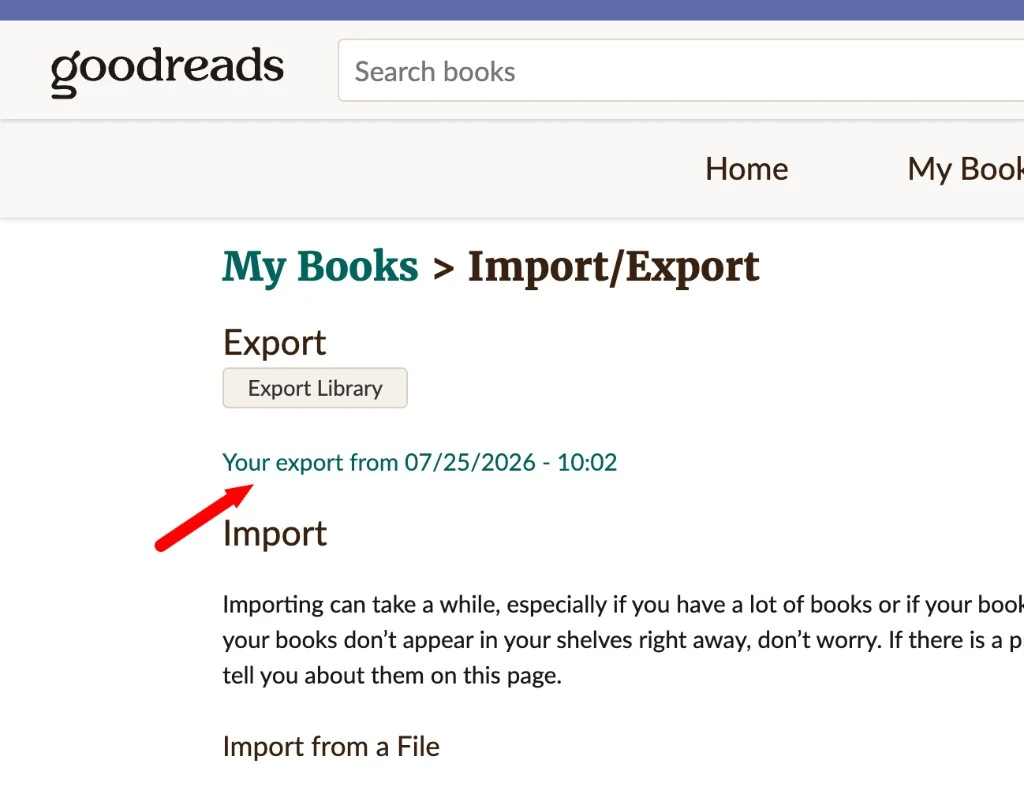
Get the file onto your iPhone: save it to the Files app, or AirDrop it from your Mac.
Step 3: Import it into Gleamry
- Open Gleamry and go to Settings.
- Tap Import from Goodreads.
- Tap Choose Goodreads file and pick the CSV.
- Check the preview, then confirm the import.
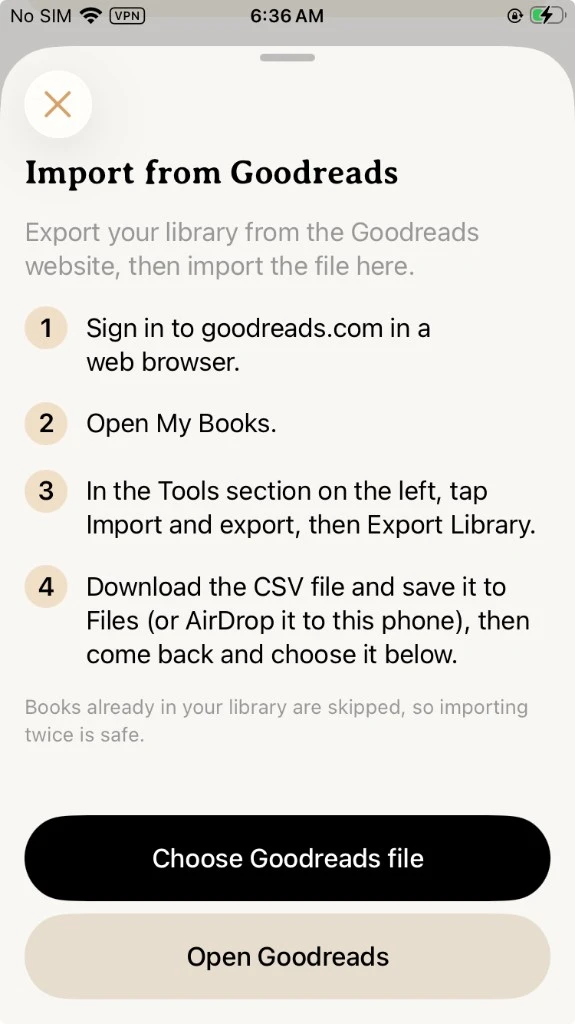
Before anything is added, Gleamry shows what it found: how many books are read, currently reading, or on your want-to-read list. Nothing is written until you confirm.
What comes across
| In Goodreads | In Gleamry |
|---|---|
| Read, Currently Reading, To Read shelves | Reading status |
| Custom shelves | Lists |
| Your star rating | Rating |
| Your review | Review |
| Date Read and Date Added | Read and added dates |
| Title, author, ISBN, page count, publisher, year | Book details |
| Paperback, Kindle, Audio binding | Paper, ebook, or audio format |
Covers are fetched after the import, so they may fill in a little after the books appear.
Good to know
- Importing twice is safe. Books already in your library are skipped, so you will not get duplicates.
- Rows without a title are skipped. They cannot become a book, and Gleamry tells you how many it skipped.
- Your data stays on your device. Gleamry is local-first, with no account to create.
- You can leave again. Gleamry exports a JSON backup or a Goodreads-compatible CSV at any time.
Troubleshooting
“This doesn’t look like a Goodreads library export”
You probably picked a different file. Choose the CSV from Export Library, not a screenshot or another download.
The file can’t be opened
Save it to the Files app first, then choose it again from there.
Some books look different from Goodreads
Goodreads and Gleamry describe editions slightly differently. If a cover or detail is off, open the book in Gleamry and edit it.
Frequently asked questions
Can I export from the Goodreads app?
The export option is on the Goodreads website. Use a browser, on a computer or on your phone.
Will my Goodreads account change?
No. Exporting only reads your library. Your Goodreads account stays as it is, so you can keep it or delete it later.
Do I have to import everything?
The import takes the whole file. You can remove books afterwards in Gleamry.
Ready to try it? Gleamry is a private, offline-friendly book tracker for iPhone, with a bookshelf that looks like yours.